 AutoNetworkMonitor
Free TCP/UDP Port Connection Monitor for Windows, Auto-Refresh & Auto-Save!
Download AutoNetworkMonitor Now!
Version: 1.0
Windows 7 / Windows 8 / Windows 10 / Windows 11 or later & Server (64/32 bit) - 1.3 MB
Requirements: .Net Framework 4.0
Portable Version (594 KB, ZIP Format)
License: Freeware
Monitor All TCP UDP Connections on Windows
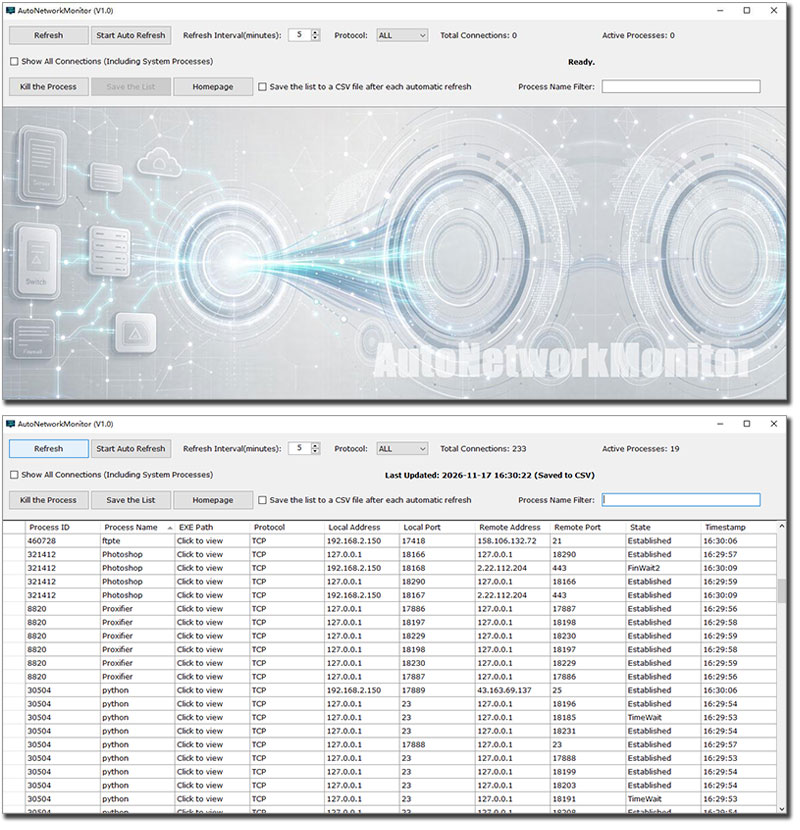
AutoNetworkMonitor is a 100% free Windows utility that lets you monitor all TCP/UDP port connections made by every process running on Windows. It presents the data in a clean, sortable list and allows you to export everything to a CSV file.
When should you use AutoNetworkMonitor?
🔎 Spot Unwanted Connections — Instantly see which programs are connecting to the internet and where.
🛡️ Detect Suspicious Activity — Identify unknown processes making TCP/UDP connections on your system.
📊 Log Network Activity Over Time — Auto-save CSV logs to analyze connection patterns or troubleshoot intermittent issues.
🧹 Kill Resource-Hogging or Malicious Processes — Terminate unwanted network activity with one click.
🧪 Debug Network-Heavy Applications — Developers can verify which ports their apps are actually using.
🏢 Lightweight Office Monitoring — System admins can quickly check what's talking on the network without deploying heavy enterprise tools.
📋 Audit Installed Software — Find out which programs phone home, silently update, or run background services.
✨ Key Features of AutoNetworkMonitor
🔍 Real-time Monitoring — Listen to all TCP and UDP connections system-wide.
📋 Process Details — View the executable path of any process; one click copies it to your clipboard automatically.
💀 Kill Process — Directly terminate unwanted or suspicious processes from the list.
🔎 Process Name Filter — Quickly filter the list by process name to find what you need.
🔄 Auto Refresh — Set a custom interval to automatically refresh the connection list.
💾 Auto Save to CSV — Schedule periodic saving of the connection list to a CSV file for logging or analysis.
🆓 100% Free — No ads, no trials, no hidden costs.
💼 Portable ZIP Version — No installation needed. Extract and run. Perfect for USB drives and leaving zero traces on any PC.
🚀 How to Use
Start Monitoring — Launch the program and click on the Refresh button, it will immediately begin listing all active TCP/UDP connections.
Filter — Type a process name in the filter box to narrow down results.
Inspect — Click on the 3rd column of any process to view its full EXE path (automatically copied to clipboard).
Kill Process — Select a process and hit the "Kill the Process" button to terminate it.
Auto Refresh — Set the refresh interval (in minutes) and click on the "Start Auto Refresh" button to keep the list up to date.
Auto Save — Check the "Save the list to a CSV file after each automatic refresh" option box and choose an output path, then the auto save would be started instantly.
Manual Export — You can also manually save the current list to a CSV file at any time by click on the "Save the List" button.
Download AutoNetworkMonitor Now!
Version: 1.0
Windows 7 / Windows 8 / Windows 10 / Windows 11 or later & Server (64/32 bit) - 1.3 MB
Portable Version (594 KB, ZIP Format)
Share AutoNetworkMonitor to the Social Network:


Features
- 🔍 Real-time TCP/UDP monitoring
- 📋 View & copy EXE path
- 💀 Kill unwanted processes
- 🔎 Filter by process name
- 🔄 Auto refresh connections
- 💾 Auto save to CSV
- 💼 Portable ZIP, no install
- 🆓 100% free, no ads
Utilities Pack Special Promotion
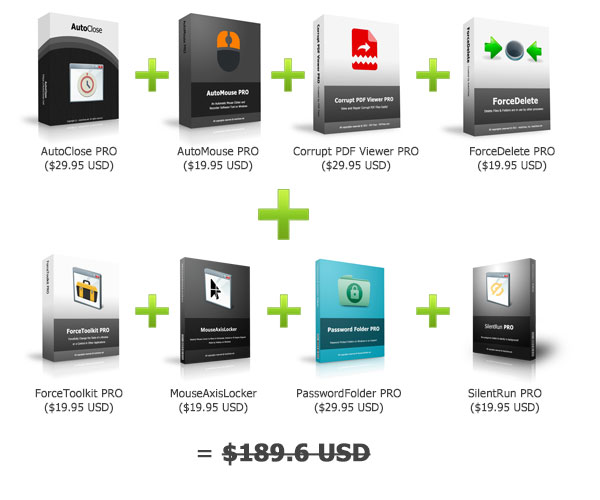
Now for only $49.95 USD!
More than 73% OFF! (Lifetime License)
Check More Details!
Other Tools
- AutoClose - Auto Close or Run Programs on Scheduled Time
- MouseAxisLocker - Limit Mouse to Move in Horizontal & Vertical Mode
- ForceDelete - Forcibly Delete Files & Folders that Cannot be Deleted
- ForceToolkit - Forcefully Change the State of a Window or a Control in Other Applications
- Password Folder - Add password protection to a folder in an instant
- AutoMouse - Automatic Mouse Clicker and Recorder
- AI PNG Enlarger - Enlarge PNG Images Up to 4X or 16X